LaTeX OCR + Renderer Tool
Time frame: September 2025 – December 2025
Course: CS 396 Introduction to Web Development
Collaborators: Computer Science Major (x2)
Overview
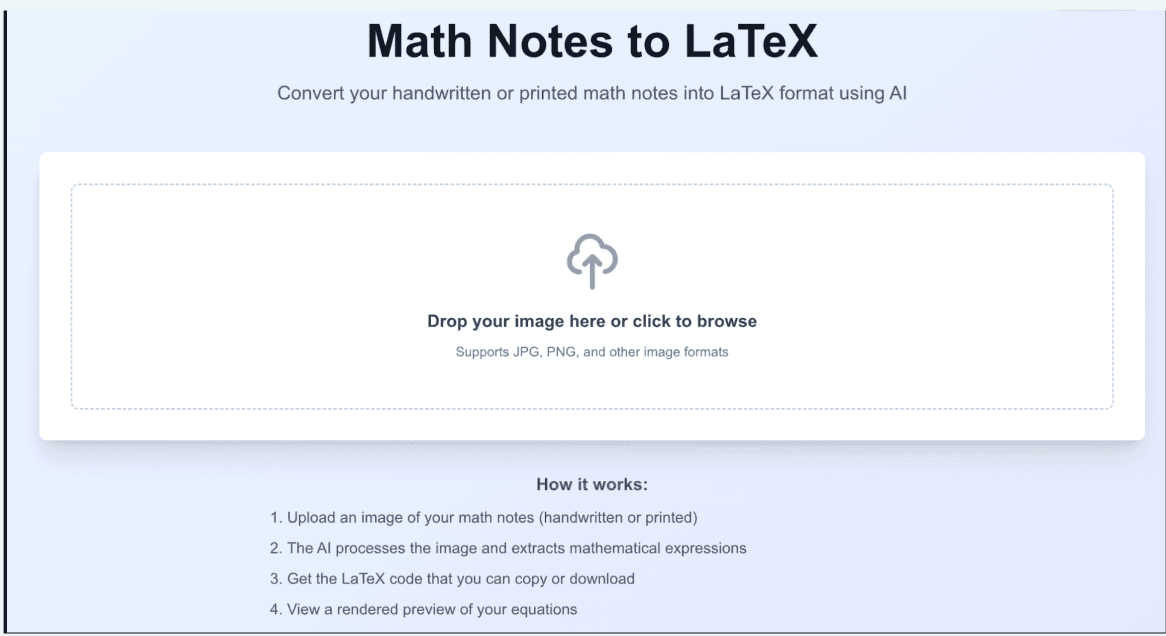
Students and researchers often struggle to convert handwritten mathematical notes into usable digital formats. Existing OCR tools frequently fail with complex equations or produce output that requires extensive manual cleanup. Our team designed and built a web application that converts uploaded PDFs into clean LaTeX code using LLM-powered OCR, allowing users to preview compiled documents and download production-ready files.
The Problem
Mathematics workflows remain heavily manual. Students and researchers often write equations by hand or scan lecture notes, but converting them into LaTeX for assignments or publications requires retyping entire documents. Traditional OCR struggles with mathematical notation, leading to formatting errors and lost structure. Our goal was to design a workflow that reduced friction between handwritten math and digital publishing.
Without LaTeX OCR
- ·Manually retyping equations
- ·Formatting errors from standard OCR
- ·Hours lost on document cleanup
With LaTeX OCR
- ·Upload and convert in seconds
- ·Accurate mathematical notation
- ·Download production-ready .tex or .pdf
Designing the User Workflow
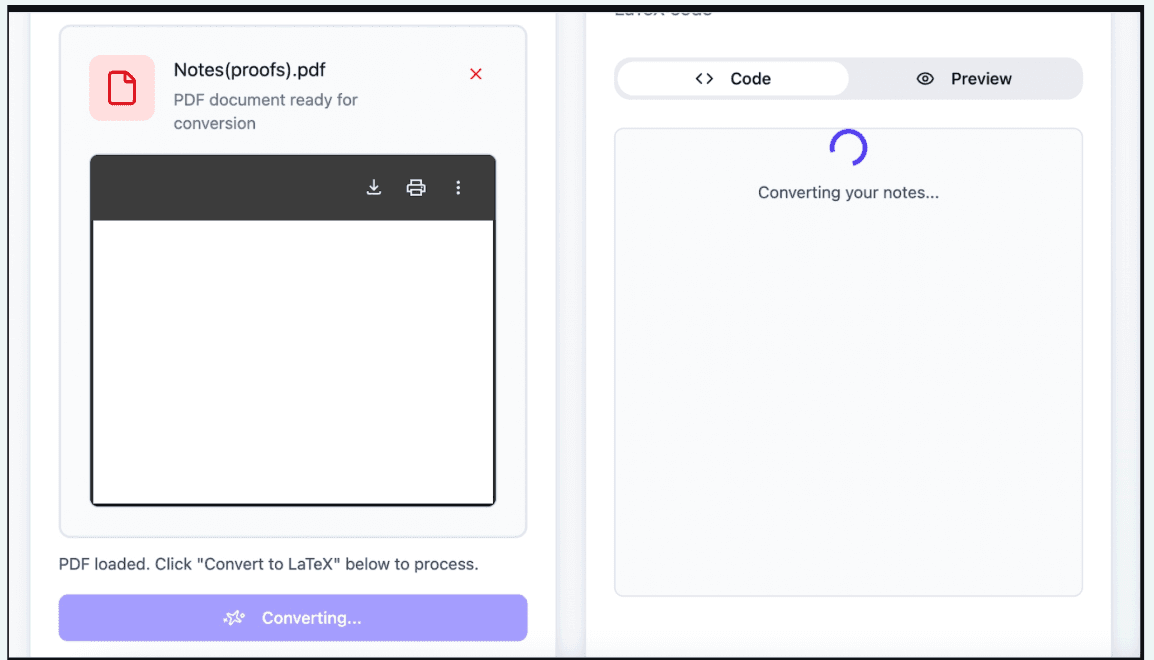
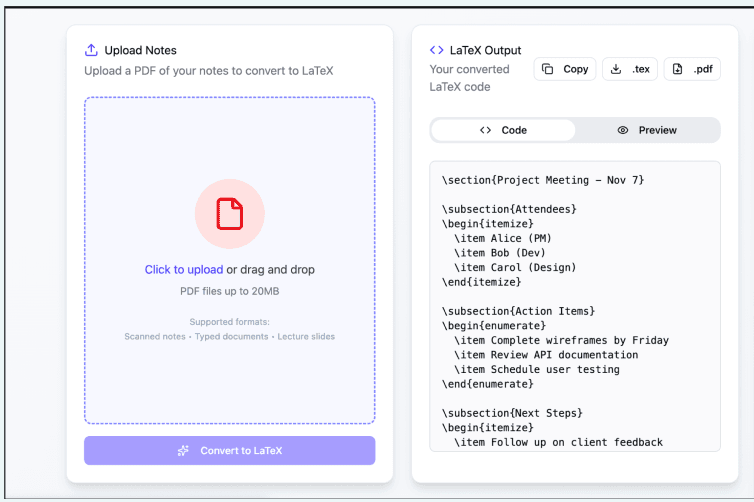
We focused on creating a simple, single-screen workflow that minimized cognitive load. Instead of multiple navigation steps, users interact with one unified interface containing:
The design prioritizes transparency during processing while allowing users to quickly copy or download results. The interface communicates system progress through clear states — uploading, processing, and completed conversion — reducing uncertainty during AI processing.

Engineering the Conversion Pipeline
The application combines multiple external services into a single workflow that transforms a static document into structured LaTeX output, deployed via Firebase with optional storage of user conversions.
Upload
User uploads a PDF or scanned document through the web interface
OCR
Document is sent to an LLM API for mathematical OCR and LaTeX generation
Compile
Generated LaTeX is optionally compiled by an external service into a previewable PDF
Download
Results are returned to the client for copying or downloading
Iteration and Engineering Decisions
Early design discussions explored expanding the product beyond OCR conversion. The team prioritized a reliable core conversion workflow first, then incrementally added features as time allowed.
Core Focus First
- ·Upload reliability
- ·Output formatting accuracy
- ·Clear conversion status feedback
Added Once Stable
- ·PDF summarization
- ·Video transcription
Final Product
The final application enables users to convert handwritten or scanned math into editable LaTeX with minimal effort, with additional tools for document summarization and video transcription added once the core workflow was stable.
Users can:

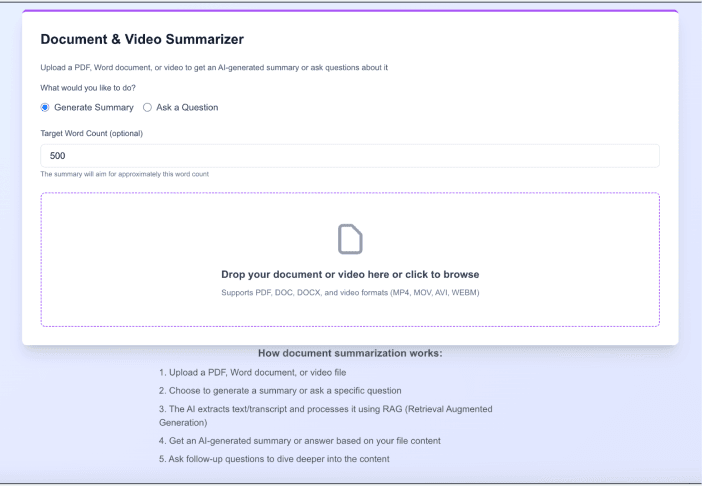
The result is a streamlined workflow bridging handwritten mathematics and professional publishing tools, expanded to support broader academic document workflows.
Key Takeaways
This project strengthened my understanding of multimodal AI pipelines and the challenges of translating unstructured visual input into structured technical output. Balancing OCR accuracy with responsive user experience required close collaboration between system design and frontend development.
Multimodal AI Pipelines
Learned how to connect image input, LLM processing, and structured output into a single cohesive workflow across multiple external services.
Iterative Scoping
Delivering a reliable core product first and expanding features incrementally kept quality high while still meeting broader project goals.
UX and AI Transparency
Communicating system state clearly — uploading, processing, done — was as important as the accuracy of the output itself in reducing user uncertainty.